Slotornado On The Go:
Canadian Casino App
Install the Progressive Web App to your home screen. Use CAD deposits and play on mobile.
Scan with your iPhone or Android camera to launch on mobile without App Store credentials.
Direct URL: https://slot-ornado.ca/appAbout Slotornado PWA
No app store approvals or forced updates. CAD payment options are available.
Quick Login
Log in with your existing Slotornado account.
Push Notifications
Receive notifications about your account and promotions.
CAD Wallet
Use one balance across desktop and mobile. Deposit in CAD with supported payment methods.
Automatic Updates
The PWA uses minimal storage and updates automatically.
Installation Guide
Follow our straightforward steps to pin Slotornado directly to your home screen.
Apple iOS (Safari)
iPhone & iPad (iOS 14.0+)Open Safari
Launch Safari on your iPhone and navigate to slot-ornado.ca.
Tap the 'Share' Icon
Tap the Share icon (ios_share square with arrow pointing upwards) in the Safari bottom toolbar.
Select 'Add to Home Screen'
Scroll through the action menu and tap the Add to Home Screen option with the + badge.
Tap 'Add' to install
Tap Add in the upper-right corner. The Slotornado icon is now installed for fullscreen play.
Android (Chrome & Samsung)
Samsung, Pixel, Motorola, OnePlusOpen Google Chrome
Open Chrome or Samsung Internet and visit slot-ornado.ca.
Tap Banner or Three-Dot Menu (⋮)
Tap the bottom 'Add to Home Screen' toast prompt, or open the top-right 3-dot menu.
Select 'Install App'
Choose 'Install App' from the menu list to initiate Android system integration.
Confirm installation
Tap InstallThe Slotornado icon will appear in your app drawer next to your other apps.
Slotornado PWA vs Other Platforms
Compare the Slotornado PWA with other platforms.
| Feature and performance | Slotornado PWA App | Standard Mobile Browser | App store client |
|---|---|---|---|
| schedule Installation Time | Quick install | Open in browser | Store login required |
| storage Device Storage Required | Small storage use | Variable Browser Cache | Large storage use |
| notifications Push promos | check Optional | Browser limit | Available |
| fingerprint Biometric Face/Touch ID | check WebAuthn | Manual password typing | Apple or Google ID |
| payments CAD deposit option | Standard link | Redirect popup window | Payment rules |
| sync Game Catalog Updates | Automatic updates | Requires manual page refresh | Manual updates |
Frequently Asked Questions
Common questions about the Slotornado PWA.
help_outline Is the Slotornado PWA free to install? expand_more
help_outline Do I need an Apple ID or Google Play account to download? expand_more
help_outline Will my desktop casino balance and VIP status carry over? expand_more
help_outline Are deposits and withdrawals supported on mobile? expand_more
Play on mobile
Play 11,000+ games on the Slotornado PWA.
Slotornado on mobile
Slotornado works on mobile through your phone’s browser. You can add a home screen shortcut so the casino opens like other apps on your device. The game library, cashier and support are available from the same screen.
Add Slotornado to your home screen
Adding a shortcut takes about a minute. The exact steps depend on your phone, but the option is in your browser menu.
- ▸Open slot-ornado.ca in your mobile browser.
- ▸Open the browser menu.
- ▸Select Add to Home Screen.
- ▸Confirm the shortcut name.
Games on mobile
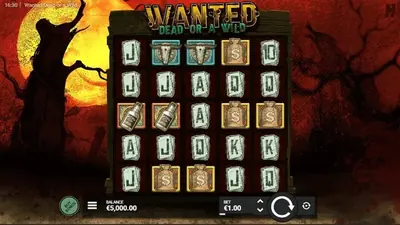
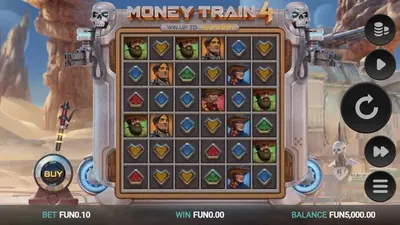
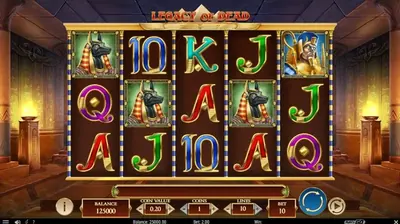
The mobile browser gives you access to the same 11,000+ games from 86 providers. Slots from Pragmatic Play, NetEnt, Hacksaw Gaming, BGaming, Endorphina, Playson, Yggdrasil and Spinomenal are available. Live dealer tables from Pragmatic Play Live, Ezugi and Lucky Streak also work on mobile.
Deposits and withdrawals on mobile
You can manage your balance from your phone. Deposit methods include Visa, Mastercard, MiFinity, Bitcoin, Litecoin, Ethereum, USDT, Dogecoin and Tron. Crypto withdrawals are usually processed in about one hour after approval. Fiat withdrawals take about 24 hours after approval.